Setting up the ASAP7nm PDK for Virtuoso

ASAP7 is an academic Process Design Kit (PDK) developed by Arizona State University (ASU) for research and teaching in 7 nm integrated circuit design. It was designed to provide a realistic development environment, based on predictions of future technology, but without the proprietary details found in commercial PDKs.
This PDK includes transistor models, physical design rules, standard cell libraries, and extraction and electrical simulation files, allowing the development of both digital and analog circuits. It is widely used for research on low power, optimized performance and new VLSI (Very Large Scale Integration) architectures.
Because it is an academic PDK, ASAP7 gives researchers and students access to an advanced design environment, making it possible to explore the challenges and innovations of semiconductor manufacturing in sub-10nm technology.
Introduction to the ASAP7nm PDK
Next, let’s look at the contents of the ASAP7nm PDK. The file structure of ASAP7nm is the following:
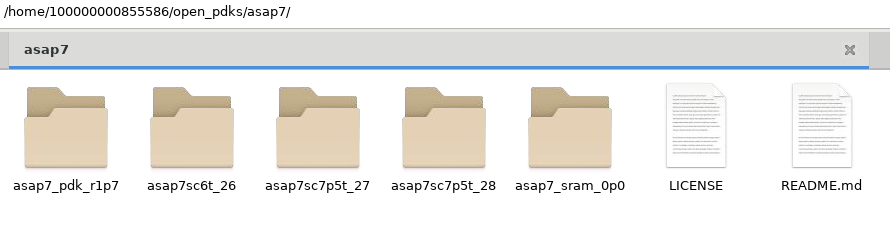
1. ASAP7nm PDK directories.
open_pdks/
└── asap7
    ├── asap7_pdk_r1p7
    ├── asap7sc6t_26
    ├── asap7sc7p5t_27
    ├── asap7sc7p5t_28
    ├── asap7_sram_0p0
    ├── LICENSE
    └── README.md
In more detail:
asap7/
├── asap7_pdk_r1p7
│   ├── asap7ssc7p5t_05
│   ├── calibre
│   ├── Calibre_Usage_Instructions.txt
│   ├── cdslib
│   ├── docs
│   ├── LICENSE
│   ├── models
│   ├── README_ASAP7PDK_INSTALL_201210a.txt
│   └── README.md
├── asap7sc6t_26
│   ├── CDL
│   ├── Datasheet
│   ├── GDS
│   ├── LEF
│   ├── LIB
│   ├── LICENSE
│   ├── qrc
│   ├── README.md
│   ├── techlef_misc
│   └── Verilog
├── asap7sc7p5t_27
│   ├── CDL
│   ├── Datasheet
│   ├── GDS
│   ├── LEF
│   ├── LIB
│   ├── LICENSE
│   ├── qrc
│   ├── README.md
│   ├── techlef_misc
│   └── Verilog
├── asap7sc7p5t_28
│   ├── CDL
│   ├── Datasheet
│   ├── GDS
│   ├── LEF
│   ├── LIB
│   ├── license
│   ├── LICENSE
│   ├── qrc
│   ├── README.md
│   ├── techlef_misc
│   └── Verilog
├── asap7_sram_0p0
│   ├── gds
│   ├── generated
│   ├── LICENSE
│   ├── README.md
│   └── verilog
├── LICENSE
└── README.md
asap7_pdk_r1p7/ (PDK core)
This directory holds the core files of the PDK, including design rules, device models and documentation.
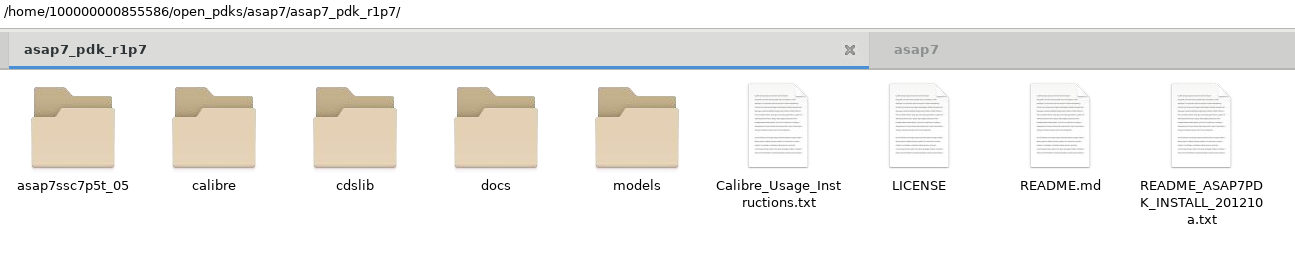
2. asap7_pdk_r1p7 PDK directories.
- asap7ssc7p5t_05/ – Example OpenAccess (OA) library (standard cell).
- calibre/ – Placeholder for physical verification files (DRC, LVS, etc.) for Siemens’ Calibre tool.
- Calibre_Usage_Instructions.txt – Instructions on how to use Calibre for design rule checks (DRC) and layout versus schematic (LVS).
- cdslib/ – OA library of the devices for the Cadence Virtuoso environment.
- docs/ – Technical documentation of the PDK.
- LICENSE – License specific to this version of the PDK.
- models/ – SPICE models of the transistors, essential for electrical simulation.
- README_ASAP7PDK_INSTALL_201210a.txt – PDK installation instructions.
- README.md – General information about the PDK directory.
asap7sc<>/ Standard cell libraries
The asap7sc6t_26/, asap7sc7p5t_27/ and asap7sc7p5t_28/ directories contain the standard cell libraries used for logic synthesis and physical layout of digital circuits. asap7sc6t_26 is a 6-track cell library, while asap7sc7p5t_27 and asap7sc7p5t_28 are 7.5-track libraries.
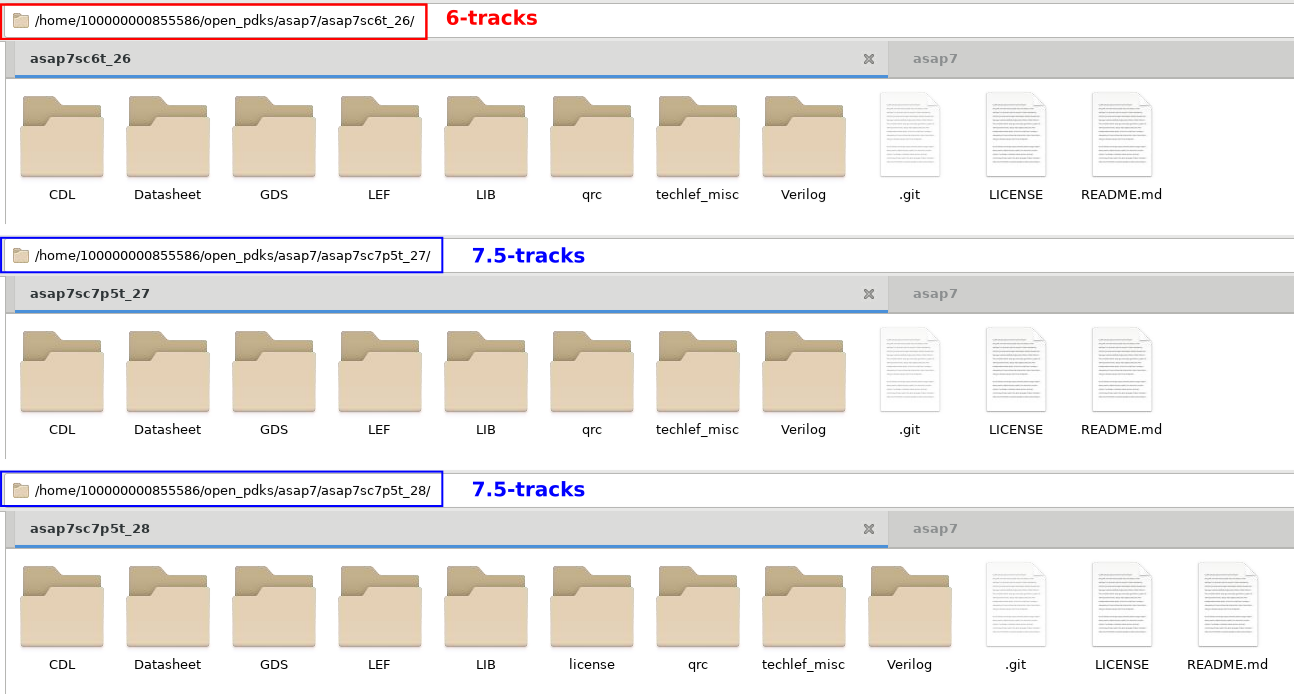
3. Cell library directories.
Each of these directories contains:
- CDL/ – CDL (Circuit Description Language) files for electrical verification and netlist extraction.
- Datasheet/ – Technical specifications of the standard cells.
- GDS/ – GDSII files with the physical layout of the cells, used by layout tools.
- LEF/ – LEF (Library Exchange Format) files, with the information for placing and routing the cells.
- LIB/ – LIB (Liberty format) files, used to characterize cell performance (delay, power, etc.).
- LICENSE – License for the specific library.
- qrc/ – Parasitic extraction files, used in delay and signal integrity analysis.
- README.md – Information about the library.
- techlef_misc/ – Additional Tech LEF files for routing rules.
- Verilog/ – Verilog models for logic simulation and synthesis.
asap7_sram_0p0/ (SRAM memory)
This directory contains information on the SRAM memory blocks in ASAP7.
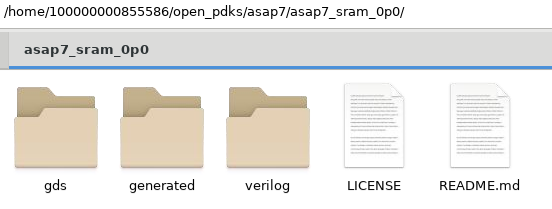
4. Memory library directories.
The files include:
- gds/ – GDSII files of the SRAM layout.
- generated/ – Some generated versions of a few memory files.
- LICENSE – License for using the SRAM.
- README.md – Information about the SRAM design.
- verilog/ – Verilog models for SRAM simulation.
Setting up the PDK in the Cadence tools
To simulate with the PDK, you need to go through a simple installation step. Go to cdslib/setup, edit set_pdk_path.csh and change PDKdirectory in the line setenv PDK_DIR PDKdirectory to the path of your own PDK installation.
$ setenv PDK_DIR /opt/PDKs/ASAP_7nm/asap7_pdk_r1p7
Workspace setup
To keep the work area organized, create a folder for the project and, inside it, the following directories:
- data/ → Holds the environment’s data, models and configuration files.
- dbs/ → Stores the design libraries created during the project.
- logs/ → Keeps the log files generated while running the tools.
- scripts/ → Where the scripts used by the project’s tools live.
- work/ → Main directory where you do the work and run the tasks.
I also like to use Makefiles to organize the workflow. That way I can define specific targets to call the scripts of each step of the project.
The workspace structure looks like this:
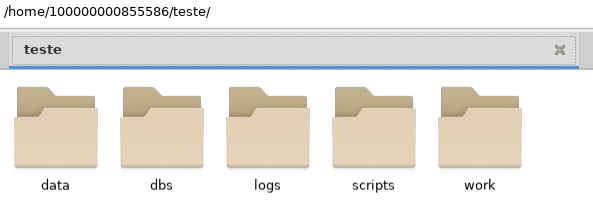
5. Workspace directories.
teste/
├── data      # Configuration files, models and environment data
│   └── cds.lib
├── dbs       # Design libraries created
├── logs      # Run log files
├── scripts   # Scripts used in the design flow
│   └── Makefile
└── work      # Main working directory
    └── Makefile -> ../scripts/Makefile
cds.lib is a configuration file used by Virtuoso to define and manage design libraries in the development environment of an integrated circuit project. It specifies the paths of the libraries used in the project, so Virtuoso knows where to find cells, schematics, layouts and other required data.
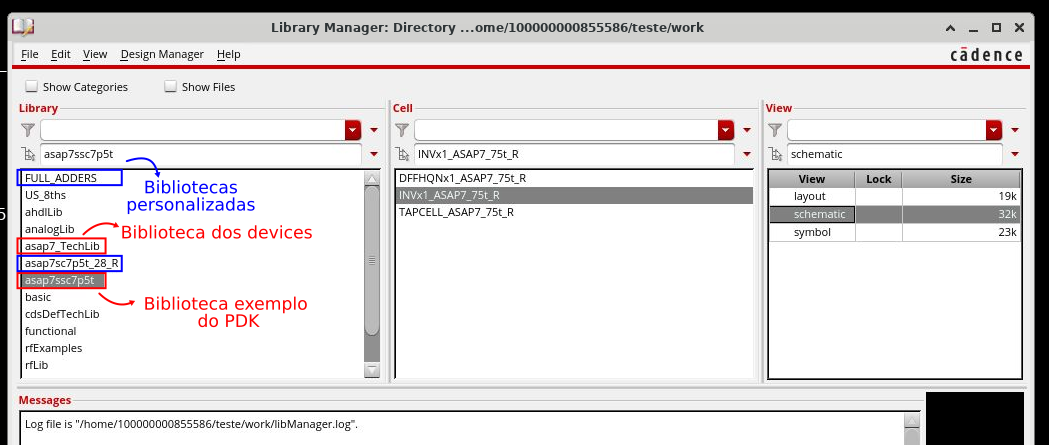
The cds.lib file contains plain-text commands to define and include libraries. To use ASAP7, I create a cds.lib file in the /data directory and add a line that includes the PDK’s own cds.lib, located at <PDK_DIR>/asap7_pdk_r1p7/cdslib/setup/cds.lib. This makes sure all the standard PDK libraries (devices and the example library) are loaded automatically. I also define my own custom libraries.
INCLUDE /home/100000000855586/open_pdks/asap7/asap7_pdk_r1p7/cdslib/setup/cds.lib
DEFINE asap7sc7p5t_28_R  /home/100000000855586/open_pdks/asap7/asap7sc7p5t_28/OA/asap7sc7p5t_28_R
DEFINE FULL_ADDERS  /home/100000000855586/TCC/asap7/dbs/FULL_ADDERS/
INCLUDE is used to include other cds.lib files in the current one, giving access to the ASAP7 devices. DEFINE declares new custom libraries, such as standard cells (asap7sc7p5t_28_R) and specific designs (FULL_ADDERS).
With this cds.lib setup, when you open Virtuoso it will automatically recognize all the libraries listed in the file, in this case both the ASAP7 PDK libraries and the project ones.
However, besides cds.lib, you also need to set up the display.drf file. This file defines the colors and patterns Virtuoso uses to display the metal layers and other elements of the fabrication process in the layout environment.
Setting up display.drf
To make Virtuoso display the ASAP7 layers correctly, you need to use the display.drf provided by the PDK itself. An efficient way to do this is to create a Makefile target that creates symbolic links to the required files directly in the project’s /work directory. This avoids unnecessary copies and keeps the environment in sync with the PDK.
Example Makefile
################################################ ## Variables definition ################################################ # Semaphores directory VPATH=make# Directory Variables SCRIPTS_DIR=../scripts LOG_DIR=../logs RPT_DIR=../rpt DATA_DIR=../data
# Display file directory path needs to be reviewed for each PDK tech installation DISPLAY_DIR=$(HOME)/open_pdks/asap7/asap7_pdk_r1p7/cdslib/setup
# CDS init file directory path needs to be reviewed for each PDK tech installation CDS_INIT=$(DISPLAY_DIR)/cdsinit
################################################ ## Targets ################################################
## All STEPS all: $(STEPS)
## Help help: @echo ”=======================================================” @echo ” Makefile Targets ” @echo ”=======================================================” @echo ” setup : Setup Run Directory ” @echo ” clean : Removes all temporary files ” @echo ” reset : Reset makefile targets ” @echo ”=======================================================” @echo ” Makefile Options ” @echo ”=======================================================” @echo ” VPATH : Make directory (default make) ” @echo ” DATA_DIR : Data directory (default ../data) ” @echo ” SCRIPTS_DIR : Script directory (default ../scripts) ” @echo ” LOG_DIR : Logfile directory (default ../logs) ” @echo ” RPT_DIR : Reports directory (default ../rpt) ” @echo ” DISPLAY_DIR : PDK directory ” @echo ”=======================================================”
.PHONY: clean reset
## Setup setup: @/bin/mkdir -p (VPATH)/@ <span style="color: #b0b0b0;"># Creating necessary links: layers display, CDS lib, and init</span> @ln -sf (DISPLAY_DIR)/display.drf . @ln -sf (DATA_DIR)/cds.lib . @ln -sf $(DISPLAY_DIR)/cdsenv .cdsenv
In this example:
- We create a symbolic link to cds.lib, so the PDK libraries are loaded.
- We create a symbolic link to display.drf, so the process layers are displayed correctly in Virtuoso.
- We create symbolic links to other required files in the PDK setup directory (.cdsinit and .cdsenv).
Running the Makefile
To set up the environment, just run this command in the terminal:
$ make setup
This creates the symbolic links and sets up the design environment for the ASAP7 PDK. When you run Virtuoso inside the /work directory, which now contains the symbolic links, it automatically recognizes the libraries defined in cds.lib, giving access to the devices and cells of the ASAP7 PDK. It also loads the display.drf settings, so the metal layers and other layout elements are shown with the right colors and patterns, as in the figure below.
6. Virtuoso Library Manager.